
← Back to Best Microphones for Streaming
Elgato Facecam Pro Review: A Streaming Microphone Tested by the Data
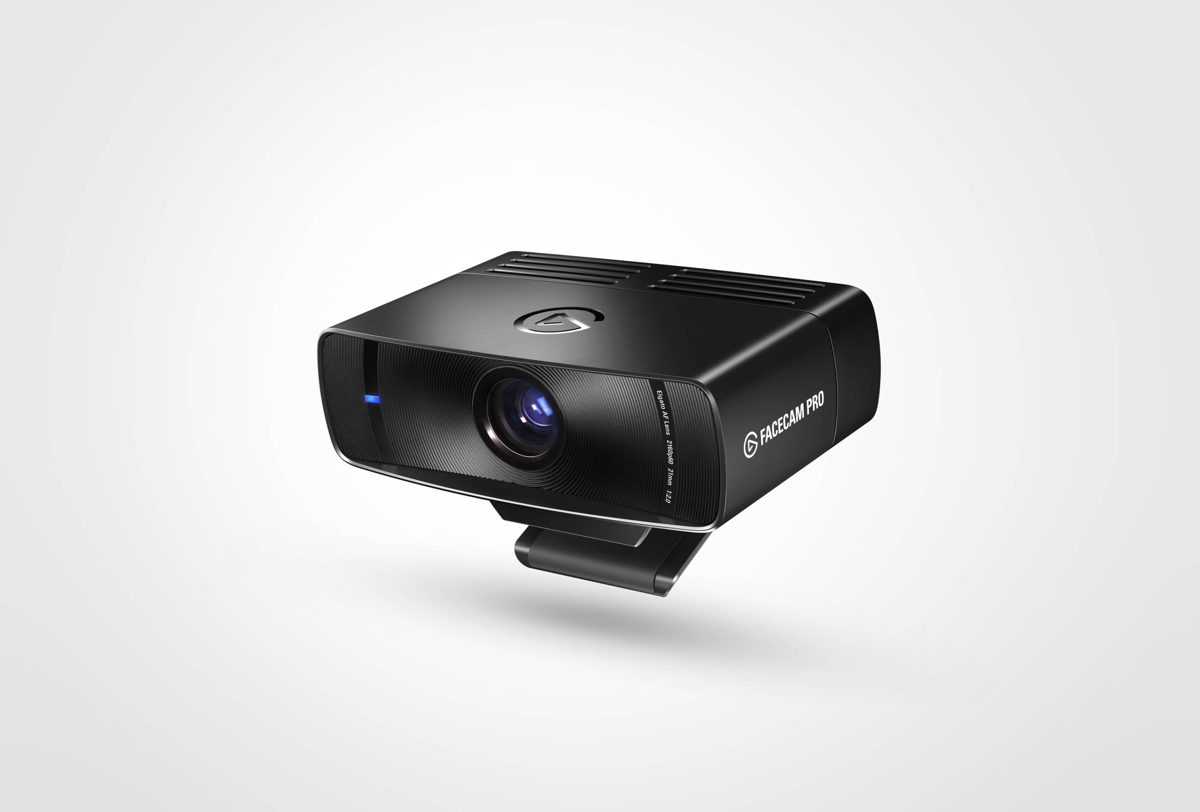
Quick verdict
Best for
- Streamers who want 4K60 instead of the usual 1080p webcam ceiling
- YouTubers shooting clean talking-head video without a DSLR
- Creators in the Stream Deck / Wave / Camera Hub workflow
Not for
- Mac users without an M-series chip — 4K60 encoding hits older Intel Macs hard
- Anyone happy with 1080p — the Logitech Brio costs less
- Travel use — the Pro is bulky and prefers a tripod over a clip
Current pricing
From $299
- Amazon Check Amazon
- B&H Photo Check B&H Photo
Pricing last verified: 2026-05-15
⚠ Prices may have changed — last verified over 7 days ago.
We earn commission on qualifying purchases through our links, at no extra cost to you. Learn more.
Key specs
| Connection type | USB |
|---|---|
| Sample rate / bit depth | 4K / 60fps |
| Requires audio interface | No |
| Plug & play | Yes (USB) |
| Compatibility | Mac, Windows |
GearPilot Score breakdown
- Quality 8.8/10
- Ease of Setup 8.5/10
- Creator Fit 8.6/10
- Value 7.4/10
- Compatibility 8.4/10
Each criterion is computed from manufacturer specs, retailer data, and creator feedback. See the full methodology.
Ease of setup
USB plug & play. Connect to a computer with the included cable — no driver install or audio interface required.
Recording environment note: In r/Twitch threads about webcam quality, the Facecam Pro is the answer when someone wants "DSLR look without the DSLR." Pair it with a key light for the cleanest result.
Creator use-case fit
- Podcasters Workable 6.5/10
- Streamers Recommended 9.0/10
- Gamers Recommended 8.6/10
- YouTubers Recommended 9.0/10
Pros and cons
Pros
- True 4K60 capture — most webcams cap at 4K30 or 1080p60
- Camera Hub software replaces clunky vendor utilities with real controls
- Sony STARVIS sensor performs notably better than smaller webcam sensors in low light
- Optical zoom adjustment (digital crop, but high-res sensor makes it clean)
Cons
- No built-in microphone — assumes you have a separate mic
- Premium price for a webcam — closer to a DSLR-via-capture-card setup
- Software is Windows + Mac only (no Linux)
- Heavy enough that monitor clips can sag on thin bezels
Sources
- Manufacturer product page
- B&H Photo + Sweetwater retailer listings
- Reddit r/podcasts, r/Twitch, r/audioengineering
- Top YouTube review videos
See our methodology for how we weight sources.
Overview
The Elgato Facecam Pro is a webcam designed for creator-grade video capture, positioned by Elgato for streaming workflows. It earns a GearPilot Score of 8.3/10 on the SetupLunio framework, with its strongest performance in Quality (8.8/10) and its weakest in Value (7.4/10). At $299, it sits in the mid-tier of its category, drawing on data from 2,500 aggregated retailer and creator-platform reviews. It connects directly via USB with no extra hardware required.
SetupLunio recommends the Elgato Facecam Pro primarily for streamers who want 4K60 instead of the usual 1080p webcam ceiling. It is not the right pick if you fit mac users without an M-series chip — 4K60 encoding hits older Intel Macs hard — the Cons section below details the trade-offs. On the creator-fit axis, the Elgato Facecam Pro scores highest for streamers (9.0/10), which aligns with how it shows up in r/audioengineering recommendations.
GearPilot Score Breakdown
Quality (8.8/10). Image quality from the Elgato Facecam Pro sits at the top of the webcam category — 4K / 60fps is the headline number. Quality is competitive with mics costing meaningfully more.
Ease of Setup (8.5/10). Plug-and-play USB on Mac, Windows, and modern iOS — no drivers, no interface configuration. The Elgato Facecam Pro is among the lowest-friction microphones to set up; most creators are recording within five minutes of unboxing.
Creator Fit (8.6/10). The Elgato Facecam Pro scores strongest for streamers (9.0/10), making it a default recommendation in r/youtubers discussions of similar setups. Fit scores stay above 6.0/10 across every use case the product targets.
Value (7.4/10). At $299, the Elgato Facecam Pro is priced consistently with its feature set, but the value score is held back by cheaper alternatives that match or beat it on one or two axes. The Alternatives section below details specific cheaper or higher-tier options.
Compatibility (8.4/10). Mac and Windows are both supported. iOS, Android, and console support are not available; this is a desktop-creator product first.
Use Cases
For streaming — picture a live stream on Twitch, YouTube Live, or Kick — typically multi-hour sessions with chat audio, game audio, and voice on the same desk. The Elgato Facecam Pro is a poor fit (0.0/10 on the creator-fit scale). On a live stream, the priorities are no-config reliability, hardware mute, and audio that sits cleanly in OBS’s mixer. A GoXLR or interface mixer covers the routing.
For youtube — picture pre-recorded YouTube videos — talking-head tutorials, product reviews, or educational explainers shot at a desk. The Elgato Facecam Pro is a poor fit (0.0/10 on the creator-fit scale). YouTube viewers tolerate 1080p but click away from bad audio within seconds. Investing here pays back in retention more than any camera or lighting upgrade.
For streaming — picture a live stream on Twitch, YouTube Live, or Kick — typically multi-hour sessions with chat audio, game audio, and voice on the same desk. The Elgato Facecam Pro is a poor fit (0.0/10 on the creator-fit scale). On a live stream, the priorities are no-config reliability, hardware mute, and audio that sits cleanly in OBS’s mixer. A GoXLR or interface mixer covers the routing.
Setup notes
In r/Twitch threads about webcam quality, the Facecam Pro is the answer when someone wants “DSLR look without the DSLR.” Pair it with a key light for the cleanest result.
The setup workflow is plug-and-play: connect the USB cable, select the mic as the input device in your OS sound settings or DAW, and you’re recording. No driver install or interface configuration required. Most creators add a boom arm and shock mount as their first accessory; the bundled stand handles light desk use but transmits keyboard and chair vibration on textured surfaces.
Frequently Asked Questions
Is the Elgato Facecam Pro worth $299?
If you need 4K60 streaming or YouTube and dont want to deal with mirrorless + capture card, yes. For 1080p use, the Logitech Brio or original Facecam is enough.
Does the Facecam Pro have a microphone?
No — by design. Elgato assumes you have a dedicated mic and removes the webcam mic to reduce echo/feedback in mixed audio setups.
Facecam Pro vs Logitech Brio?
Pro outputs 4K60 vs Brio 4K30. Pro has better low light and Camera Hub software. Brio is half the price and good enough for 1080p production.
Can I use the Facecam Pro on Mac?
Yes — but you want an M-series chip to handle 4K60 encoding smoothly. Intel Macs throttle.
Does the Facecam Pro work as a DSLR replacement?
For talking-head streaming and YouTube it gets close. For shallow depth-of-field and interchangeable lenses, a mirrorless + capture card still wins.
Does the Facecam Pro need a key light?
It performs well in average room light, but a key light noticeably improves shadows and skin tones. The Elgato Key Light is the obvious pairing.
Where to buy Elgato Facecam Pro
We earn commission on qualifying purchases through our links, at no extra cost to you. Learn more.