
← Back to Best Microphones for Podcasting
Focusrite Scarlett Solo (4th Gen) Review: A Podcasting Microphone Tested by the Data
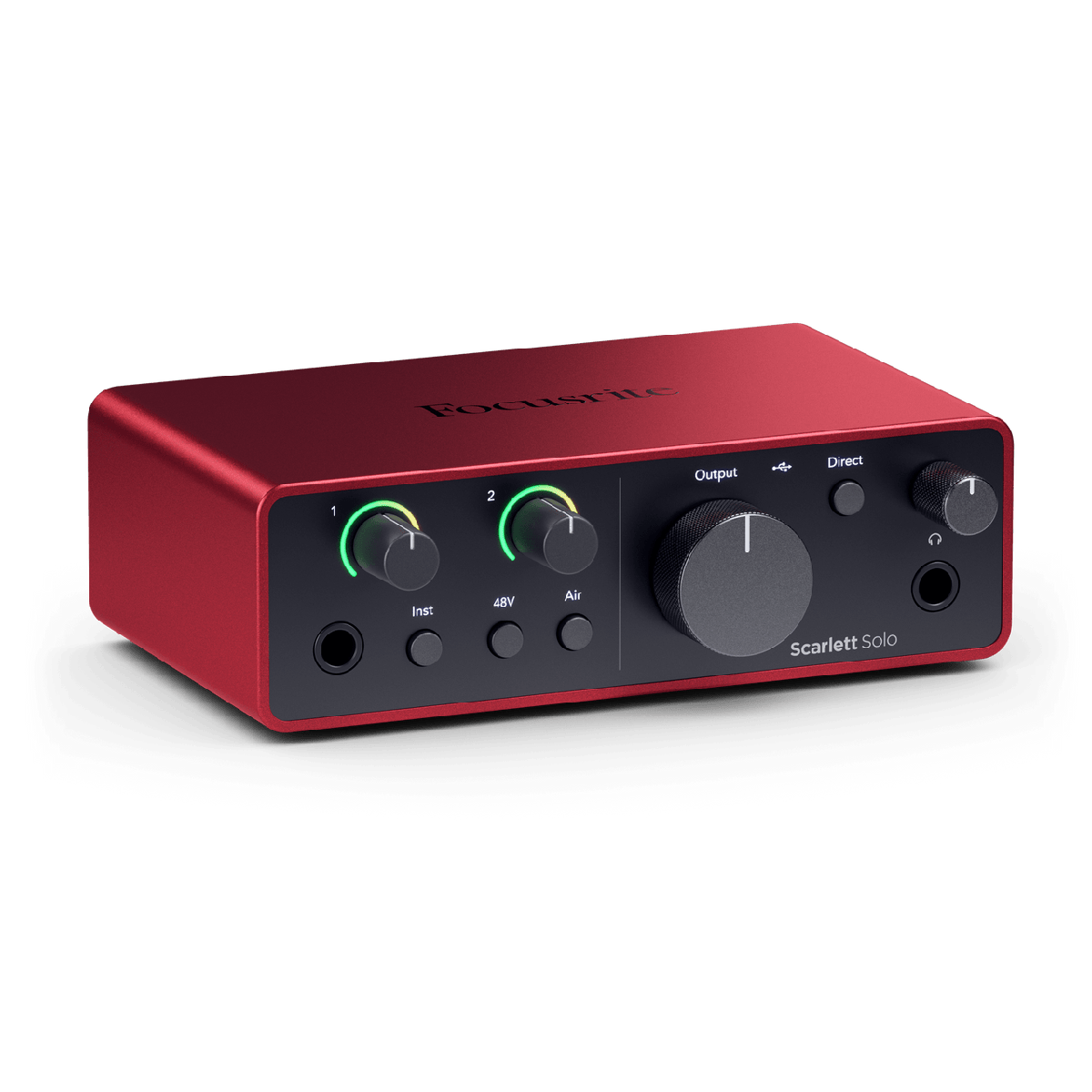
Quick verdict
Best for
- Anyone moving from USB to XLR mics for the first time
- Solo podcasters pairing it with an SM7B or Shure MV7 XLR
- Home studio recording vocals or guitar through a single condenser/dynamic
Not for
- Multi-host podcasts (Solo has 1 XLR input — see the Scarlett 2i2 instead)
- Streamers needing per-source mixing (look at the GoXLR Mini)
- Anyone who wants to skip the cable-management of XLR
Current pricing
From $139
- Amazon Check Amazon
- B&H Photo Check B&H Photo
- Sweetwater Check Sweetwater
Pricing last verified: 2026-05-15
⚠ Prices may have changed — last verified over 7 days ago.
We earn commission on qualifying purchases through our links, at no extra cost to you. Learn more.
Key specs
| Connection type | XLR |
|---|---|
| Frequency response | 20Hz – 20kHz |
| Sample rate / bit depth | 192kHz / 24-bit |
| Requires audio interface | No |
| Plug & play | Yes (USB) |
| Compatibility | Mac, Windows, Ios |
GearPilot Score breakdown
- Quality 8.9/10
- Ease of Setup 9.0/10
- Creator Fit 8.4/10
- Value 9.4/10
- Compatibility 9.2/10
Each criterion is computed from manufacturer specs, retailer data, and creator feedback. See the full methodology.
Ease of setup
USB plug & play. Connect to a computer with the included cable — no driver install or audio interface required.
Recording environment note: On r/podcasts and r/audioengineering the Scarlett Solo is the universal answer to "I just bought an SM7B/MV7 — what interface should I get?" because 69 dB of gain covers the famously quiet dynamics without a Cloudlifter.
Creator use-case fit
- Podcasters Recommended 8.8/10
- Streamers Recommended 8.0/10
- Gamers Recommended 7.0/10
- Vocalists Recommended 9.0/10
- YouTubers Recommended 8.0/10
Pros and cons
Pros
- Clean preamps with 69 dB of gain — plenty for low-output dynamics like the SM7B
- Auto Gain mode reads your speaking voice and sets level in 10 seconds
- Free Hitmaker Expansion bundle includes Ableton Live Lite and Pro Tools Artist
- Bus-powered USB-C — no power brick
Cons
- Single XLR input — second person or instrument needs a 2i2 or larger
- Headphone output level is modest; high-impedance studio cans need a separate amp
- "Air" mode is a marketing touch, not a true preamp character switch
- No MIDI in/out (matters if you also record keyboards or drum machines)
Sources
- Manufacturer product page
- B&H Photo + Sweetwater retailer listings
- Reddit r/podcasts, r/Twitch, r/audioengineering
- Top YouTube review videos
See our methodology for how we weight sources.
Overview
The Focusrite Scarlett Solo (4th Gen) is a audio interface that turns XLR microphones into a USB-connected studio, positioned by Focusrite for podcasting workflows. It earns a GearPilot Score of 9.0/10 on the SetupLunio framework, with its strongest performance in Value (9.4/10) and its weakest in Creator Fit (8.4/10). At $139, it sits at the entry-level end of its category, drawing on data from 22,000 aggregated retailer and creator-platform reviews. It connects directly via USB with no extra hardware required.
SetupLunio recommends the Focusrite Scarlett Solo (4th Gen) primarily for anyone moving from USB to XLR mics for the first time. It is not the right pick if you fit multi-host podcasts (Solo has 1 XLR input — see the Scarlett 2i2 instead) — the Cons section below details the trade-offs. On the creator-fit axis, the Focusrite Scarlett Solo (4th Gen) scores highest for vocalists (9.0/10), which aligns with how it shows up in r/audioengineering recommendations.
GearPilot Score Breakdown
Quality (8.9/10). The Focusrite Scarlett Solo (4th Gen)’s preamps and converters deliver the clean, low-noise signal path that defines this product category. Quality is competitive with mics costing meaningfully more.
Ease of Setup (9.0/10). Plug-and-play USB on Mac, Windows, and modern iOS — no drivers, no interface configuration. The Focusrite Scarlett Solo (4th Gen) is among the lowest-friction microphones to set up; most creators are recording within five minutes of unboxing.
Creator Fit (8.4/10). The Focusrite Scarlett Solo (4th Gen) scores strongest for vocalists (9.0/10), making it a default recommendation in r/youtubers discussions of similar setups. Fit scores stay above 6.0/10 across every use case the product targets.
Value (9.4/10). At $139, the Focusrite Scarlett Solo (4th Gen) is one of the highest value-per-dollar picks in its category. The Alternatives section below details specific cheaper or higher-tier options.
Compatibility (9.2/10). Compatibility covers Mac, Windows, and iOS via USB-C. Console support is not available, but desktop and mobile creators are covered.
Use Cases
For podcasting — picture a solo or two-host podcast recorded in a home office or spare bedroom — the typical SetupLunio reader configuration. The Focusrite Scarlett Solo (4th Gen) is a poor fit (0.0/10 on the creator-fit scale). Configured correctly, it produces broadcast-grade podcast audio. The trade-off is the XLR setup curve — interface, cable, gain staging.
For voiceover — picture voiceover and audiobook narration, where signal-to-noise ratio and consistent timbre matter more than presence. The Focusrite Scarlett Solo (4th Gen) is a poor fit (0.0/10 on the creator-fit scale). Voiceover work prioritizes consistent timbre and low noise floor over presence. Long-form audiobook narrators specifically watch for self-noise creeping in over hours.
For music — picture multi-track music recording — acoustic guitar, vocals, and occasional instrument capture in a home setting. The Focusrite Scarlett Solo (4th Gen) is a poor fit (0.0/10 on the creator-fit scale). Music recording is the most demanding workflow — multi-mic placement, instrument specific tuning, and full-frequency response all matter more than for spoken word.
Setup notes
On r/podcasts and r/audioengineering the Scarlett Solo is the universal answer to “I just bought an SM7B/MV7 — what interface should I get?” because 69 dB of gain covers the famously quiet dynamics without a Cloudlifter.
The setup workflow is plug-and-play: connect the USB cable, select the mic as the input device in your OS sound settings or DAW, and you’re recording. No driver install or interface configuration required. Most creators add a boom arm and shock mount as their first accessory; the bundled stand handles light desk use but transmits keyboard and chair vibration on textured surfaces.
Compare Focusrite Scarlett Solo (4th Gen) with…
See Focusrite Scarlett Solo (4th Gen) alternatives →
Frequently Asked Questions
Focusrite Scarlett Solo vs 2i2 — which should I buy?
Solo has 1 XLR + 1 instrument input; 2i2 has 2 of each. If you might ever record a second person or stereo instrument, the 2i2 is worth the $40 premium.
Does the Scarlett Solo work with the Shure SM7B?
Yes. The 4th-gen Solo has 69 dB of preamp gain, enough to drive an SM7B without a Cloudlifter in most rooms. Older 2nd-gen Solos (~57 dB) struggle.
Do I need an audio interface for podcasting?
Only if you use an XLR mic. USB mics like the Yeti or QuadCast plug directly into your computer.
Is the Scarlett Solo good for music recording?
For solo singer/songwriter, podcast voiceover, and amateur acoustic recording, yes. For multi-mic drum kits or full-band tracking, look at the Scarlett 4i4 or 18i20.
Does Auto Gain work well?
For voice it is genuinely useful — it samples a 10-second talk pass and sets a gain that leaves headroom for shouting. For instruments and music, set gain manually.
Scarlett Solo vs GoXLR Mini for streaming?
Scarlett wins on preamp quality and cross-platform support. GoXLR Mini wins on multi-source routing and Discord/game-audio submixing in OBS.
Where to buy Focusrite Scarlett Solo (4th Gen)
We earn commission on qualifying purchases through our links, at no extra cost to you. Learn more.