
← Back to Best Microphones for Streaming
HyperX QuadCast 2 S vs Razer Seiren V3 Chroma: Head-to-Head Comparison
Quick verdict
Winner: HyperX QuadCast 2 S (8.7/10)
The HyperX QuadCast 2 S wins because its 8.7 score beats the Razer Seiren V3 Chroma’s 8.3 while serving the same core streaming and gaming USB audience with broader creator use.
We earn commission on qualifying purchases through our links, at no extra cost to you. Learn more.
At a glance
| HyperX QuadCast 2 S | Razer Seiren V3 Chroma | |
|---|---|---|
| GearPilot Score | 8.7/10 | 8.3/10 |
| Price | $199 | $130 |
| Connection | USB | USB |
| Polar pattern | Multi | Cardioid |
| Plug & play | ✓ | ✓ |
| Best for | Streamers who want a visually striking mic with the most customizable RGB in its class | Streamers with RGB setups |
Pricing last verified: 2026-07-13
Pricing comparison
- HyperX QuadCast 2 S: $199 Amazon
- Razer Seiren V3 Chroma: $130
Best for each creator type
| Use-case | Winner | Note |
|---|
Choose HyperX QuadCast 2 S if…
- Streamers who want a visually striking mic with the most customizable RGB in its class
- Gamers — top-mounted tap-to-mute sensor fits muscle memory mid-match
- YouTubers recording solo voiceovers in a quiet, treated room
Choose Razer Seiren V3 Chroma if…
- Streamers with RGB setups
- Gamers needing plug-and-play
- Beginner podcasters
What you lose if you switch
Before switching: both are USB, plug-and-play microphones and neither requires an audio interface, so the change is mainly about budget, fit, and room behavior. Moving to the HyperX means paying the higher $199 price for the higher score, broader creator positioning, customizable RGB, and tap-to-mute appeal. Moving to the Razer cuts cost to $130, but you should be comfortable with its simpler gaming and streaming focus and avoid treating it as a high-end studio or professional vocal mic.
How they differ
HyperX QuadCast 2 S is the stronger creator mic here. It has the higher score, 8.7 to 8.3, and it is positioned for a wider set of creator work: streaming, gaming, and YouTube. The Razer Seiren V3 Chroma is also a USB condenser for gaming and streaming, but its own positioning is narrower, with beginner podcasting as the extra angle.
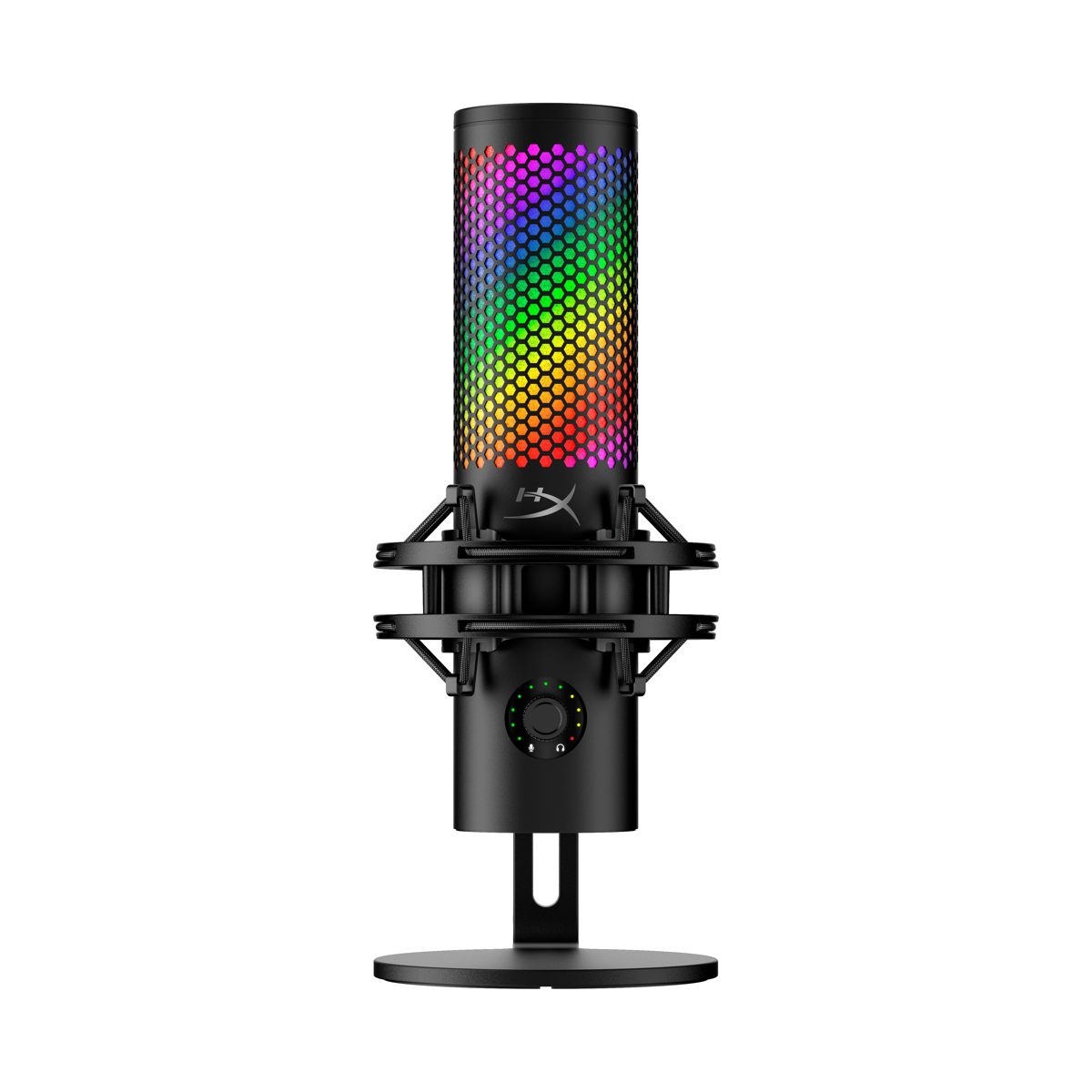
The HyperX is the more flexible pick for creators who care about presentation and control on camera. Its standout advantage is visual customization: it is aimed at streamers who want the most customizable RGB in its class. It also has a top-mounted tap-to-mute sensor, which is specifically called out for gamers who need mute control that matches mid-match muscle memory.
The Razer’s appeal is simpler: it is a plug-and-play USB mic for streamers with RGB setups and gamers who want less friction. It does not claim the same breadth of creator fit as the HyperX, and its score trails, but it still covers the core streaming and gaming need at a lower listed price.
Who each suits
Choose the HyperX if your mic is part of the visual identity of your channel and you want one USB condenser to cover streaming, gaming, and solo YouTube voiceover work. It is the better match for creators building around RGB, on-camera presence, and fast mute access. If you are planning the rest of your desk around the mic too, start with a full streaming setup walkthrough rather than choosing the microphone in isolation.
The HyperX is not a fix for a noisy room. Its own notes warn that untreated rooms can still expose keyboard and chair noise, and it is not the best answer for pro podcasts where dynamic-mic rejection is the priority.
Choose the Razer if your needs are more basic: gaming, streaming, and beginner podcasting without an audio interface. It fits creators who want RGB in a plug-and-play package but do not need the HyperX’s broader positioning or higher score. For a wider shortlist, compare both against other microphones for streaming.
Where the loser still wins
The Razer Seiren V3 Chroma still has a clear lane: budget. At $130, it costs less than the $199 HyperX QuadCast 2 S, while staying in the same USB, plug-and-play category and targeting the same gaming and streaming basics. If the extra spend would not change your content, the Razer is the more economical choice.
It also makes sense for beginner podcasters, because that is one of its stated best-fit audiences. The caveat is important: it is not positioned for high-end studio recording, professional vocalists, or field recording. So the Razer wins only when lower cost and simpler creator needs matter more than the HyperX’s higher score and broader creator fit.