
← Back to Best Microphones for Podcasting
Blue Yeti Review: A Podcasting Microphone Tested by the Data
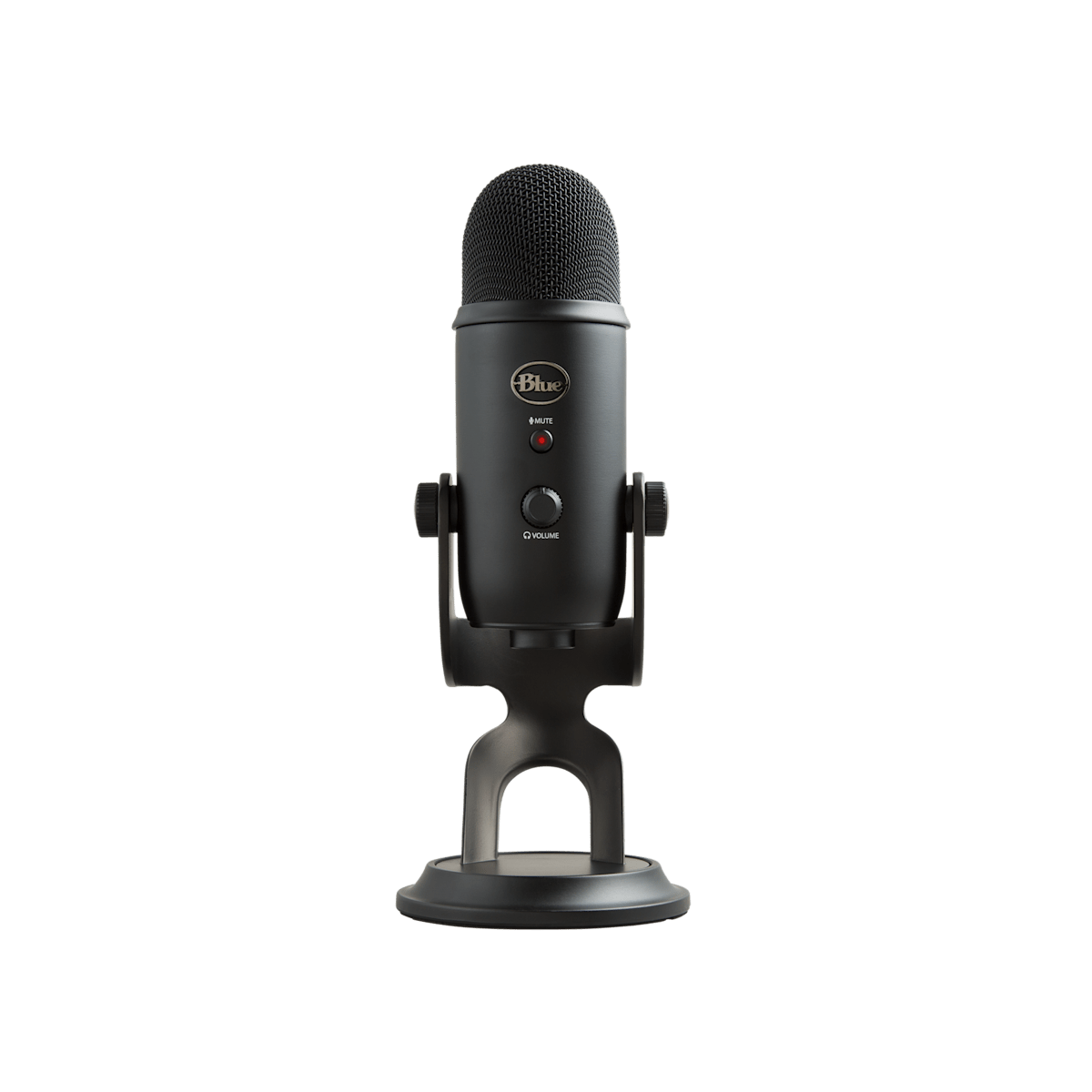
Quick verdict
Best for
- Beginner streamers who want one mic that handles voice + room interviews
- Podcasters recording in a quiet, treated room
- YouTubers who want USB simplicity without learning XLR
Not for
- Noisy, untreated rooms — picks up keyboard and HVAC easily
- Pro music vocals or broadcast-grade voiceover
- Anyone who plans to upgrade to XLR within 6 months
Current pricing
From $109
- Amazon Check Amazon
- Sweetwater Check Sweetwater
Pricing last verified: 2026-05-15
⚠ Prices may have changed — last verified over 7 days ago.
We earn commission on qualifying purchases through our links, at no extra cost to you. Learn more.
Key specs
| Connection type | USB |
|---|---|
| Polar pattern | Multi |
| Frequency response | 20Hz – 20kHz |
| Sample rate / bit depth | 48kHz / 16-bit |
| Requires audio interface | No |
| Plug & play | Yes (USB) |
| Compatibility | Mac, Windows, Ios |
GearPilot Score breakdown
- Quality 7.8/10
- Ease of Setup 9.5/10
- Creator Fit 8.2/10
- Value 8.7/10
- Compatibility 9.0/10
Each criterion is computed from manufacturer specs, retailer data, and creator feedback. See the full methodology.
Ease of setup
USB plug & play. Connect to a computer with the included cable — no driver install or audio interface required.
Recording environment note: In an untreated room the Yeti picks up keyboard strokes, HVAC, and chair noise. Reddit r/podcasts users consistently recommend a boom arm + shock mount + dropping gain to roughly 30% to control room bleed.
Creator use-case fit
- Podcasters Recommended 8.5/10
- Streamers Recommended 9.0/10
- Gamers Recommended 7.8/10
- Vocalists Workable 6.5/10
- YouTubers Recommended 8.4/10
Pros and cons
Pros
- Four polar patterns let you switch between solo, interview, and stereo recording
- Plug-and-play USB — works without drivers on Mac, Windows, and iOS
- On-mic gain, mute, and headphone monitoring controls
- Solid build quality with a heavy desktop stand included
Cons
- Side-address design — many new users speak into the top by mistake
- Very sensitive in cardioid; picks up keyboard noise in untreated rooms
- No high-pass filter or pad — easy to clip loud voices
- Bundled stand has no shock-mount — desk thumps transmit clearly
Sources
- Manufacturer product page
- B&H Photo + Sweetwater retailer listings
- Reddit r/podcasts, r/Twitch, r/audioengineering
- Top YouTube review videos
See our methodology for how we weight sources.
Overview
The Blue Yeti is a condenser microphone, sensitive and detail-rich with a USB output, positioned by Blue (Logitech G) for podcasting workflows. It earns a GearPilot Score of 8.6/10 on the SetupLunio framework, with its strongest performance in Ease of Setup (9.5/10) and its weakest in Quality (7.8/10). At $109, it sits at the entry-level end of its category, drawing on data from 42,000 aggregated retailer and creator-platform reviews. It connects directly via USB with no extra hardware required.
SetupLunio recommends the Blue Yeti primarily for beginner streamers who want one mic that handles voice + room interviews. It is not the right pick if you fit noisy, untreated rooms — picks up keyboard and HVAC easily — the Cons section below details the trade-offs. On the creator-fit axis, the Blue Yeti scores highest for streamers (9.0/10), which aligns with how it shows up in r/audioengineering recommendations.
GearPilot Score Breakdown
Quality (7.8/10). The Blue Yeti’s condenser capsule captures detail and presence well, flattering most spoken-word and singing voices in a controlled space. Quality is mid-pack — adequate but not class-leading.
Ease of Setup (9.5/10). Plug-and-play USB on Mac, Windows, and modern iOS — no drivers, no interface configuration. The Blue Yeti is among the lowest-friction microphones to set up; most creators are recording within five minutes of unboxing.
Creator Fit (8.2/10). The Blue Yeti scores strongest for streamers (9.0/10), making it a default recommendation in r/youtubers discussions of similar setups. Fit scores stay above 6.0/10 across every use case the product targets.
Value (8.7/10). At $109, the Blue Yeti offers solid value — competitive with most direct alternatives. The Alternatives section below details specific cheaper or higher-tier options.
Compatibility (9.0/10). Compatibility covers Mac, Windows, and iOS via USB-C. Console support is not available, but desktop and mobile creators are covered.
Use Cases
For podcasting — picture a solo or two-host podcast recorded in a home office or spare bedroom — the typical SetupLunio reader configuration. The Blue Yeti is a poor fit (0.0/10 on the creator-fit scale). Plug-and-play USB lowers the friction for first-time podcasters. Pair it with Audacity or a hosted platform’s web recorder and a podcast can launch the same day.
For streaming — picture a live stream on Twitch, YouTube Live, or Kick — typically multi-hour sessions with chat audio, game audio, and voice on the same desk. The Blue Yeti is a poor fit (0.0/10 on the creator-fit scale). On a live stream, the priorities are no-config reliability, hardware mute, and audio that sits cleanly in OBS’s mixer. Tap-to-mute and integrated shock mount cover the live-show ergonomics.
For youtube — picture pre-recorded YouTube videos — talking-head tutorials, product reviews, or educational explainers shot at a desk. The Blue Yeti is a poor fit (0.0/10 on the creator-fit scale). YouTube viewers tolerate 1080p but click away from bad audio within seconds. Investing here pays back in retention more than any camera or lighting upgrade.
Setup notes
In an untreated room the Yeti picks up keyboard strokes, HVAC, and chair noise. Reddit r/podcasts users consistently recommend a boom arm + shock mount + dropping gain to roughly 30% to control room bleed.
The setup workflow is plug-and-play: connect the USB cable, select the mic as the input device in your OS sound settings or DAW, and you’re recording. No driver install or interface configuration required. Most creators add a boom arm and shock mount as their first accessory; the bundled stand handles light desk use but transmits keyboard and chair vibration on textured surfaces.
Compare Blue Yeti with…
Frequently Asked Questions
Is the Blue Yeti good for podcasting?
For solo or in-room interview podcasts in a quiet space, yes — it sounds noticeably better than any built-in laptop mic. In untreated rooms, plan on a boom arm and aggressive gain control to keep room noise out.
Do I need an audio interface for the Blue Yeti?
No. The Yeti is a USB microphone with a built-in analog-to-digital converter. It connects to your computer with a single USB cable; no separate interface is needed.
Blue Yeti vs Shure MV7 — which should I buy?
The MV7 sounds better in untreated rooms because it is a dynamic microphone that rejects more room sound. The Yeti is more flexible (four polar patterns) and roughly half the price. Untreated room and podcasting? MV7. Quiet room and variety of use cases? Yeti.
Why does my Yeti sound thin or distant?
Most likely you are speaking into the top of the microphone instead of the side. The Yeti is a side-address mic — the front is the side facing the Blue logo. Speak into the logo side, 4–8 inches away.
Can I use the Blue Yeti for streaming on Xbox or PS5?
Not directly. The Yeti needs USB audio input which consoles do not provide for microphones. Stream from a PC instead, or look at an XLR mic + audio interface routed through a capture card.
Does the Blue Yeti need a shock mount?
Yes if you put it on a desk and type while recording. The included stand transmits keyboard and chair vibrations directly to the capsule. A boom arm with shock mount eliminates this almost entirely.
Where to buy Blue Yeti
We earn commission on qualifying purchases through our links, at no extra cost to you. Learn more.