
← Back to Best Microphones for Podcasting
Blue Yeti vs HyperX QuadCast 2 S: Head-to-Head Comparison
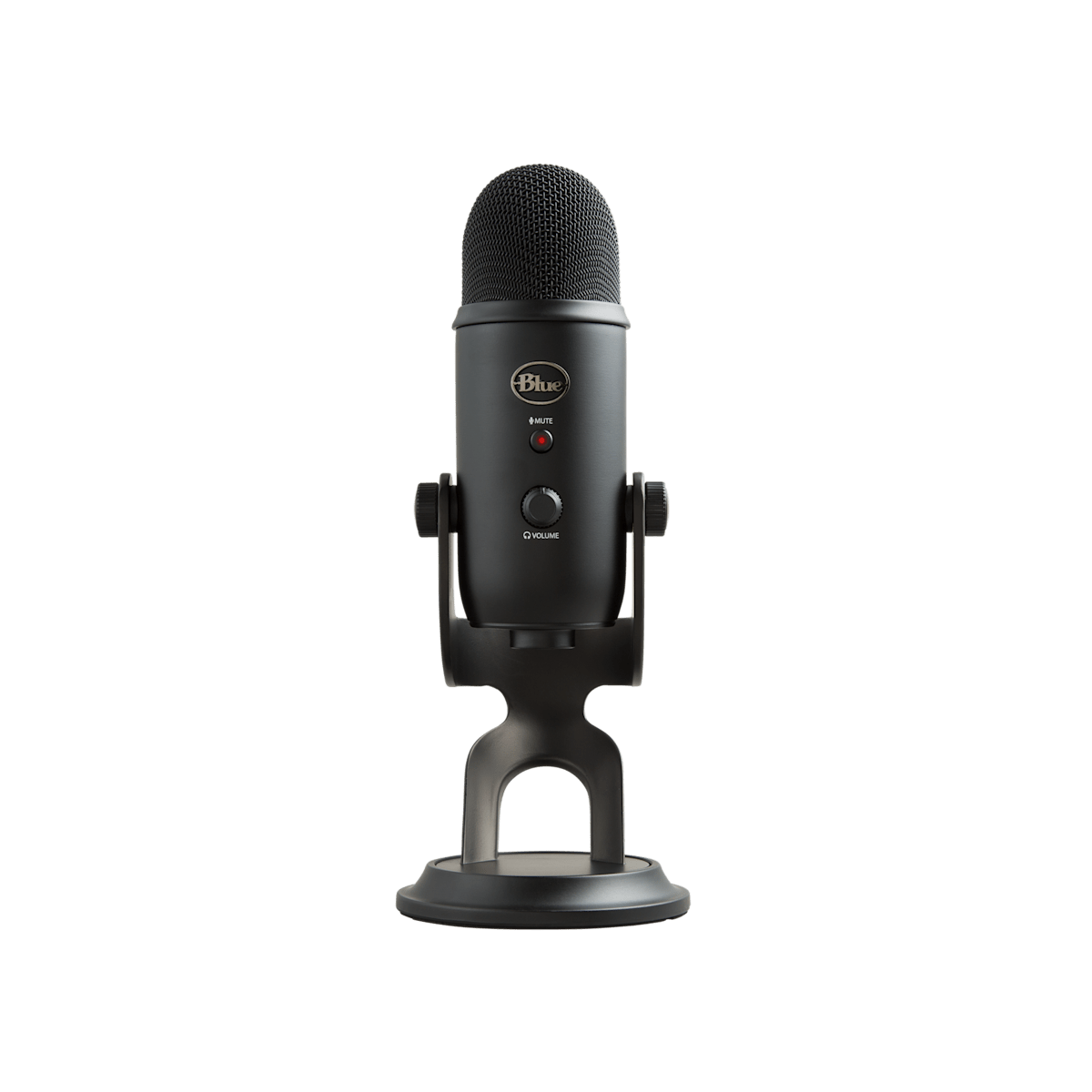
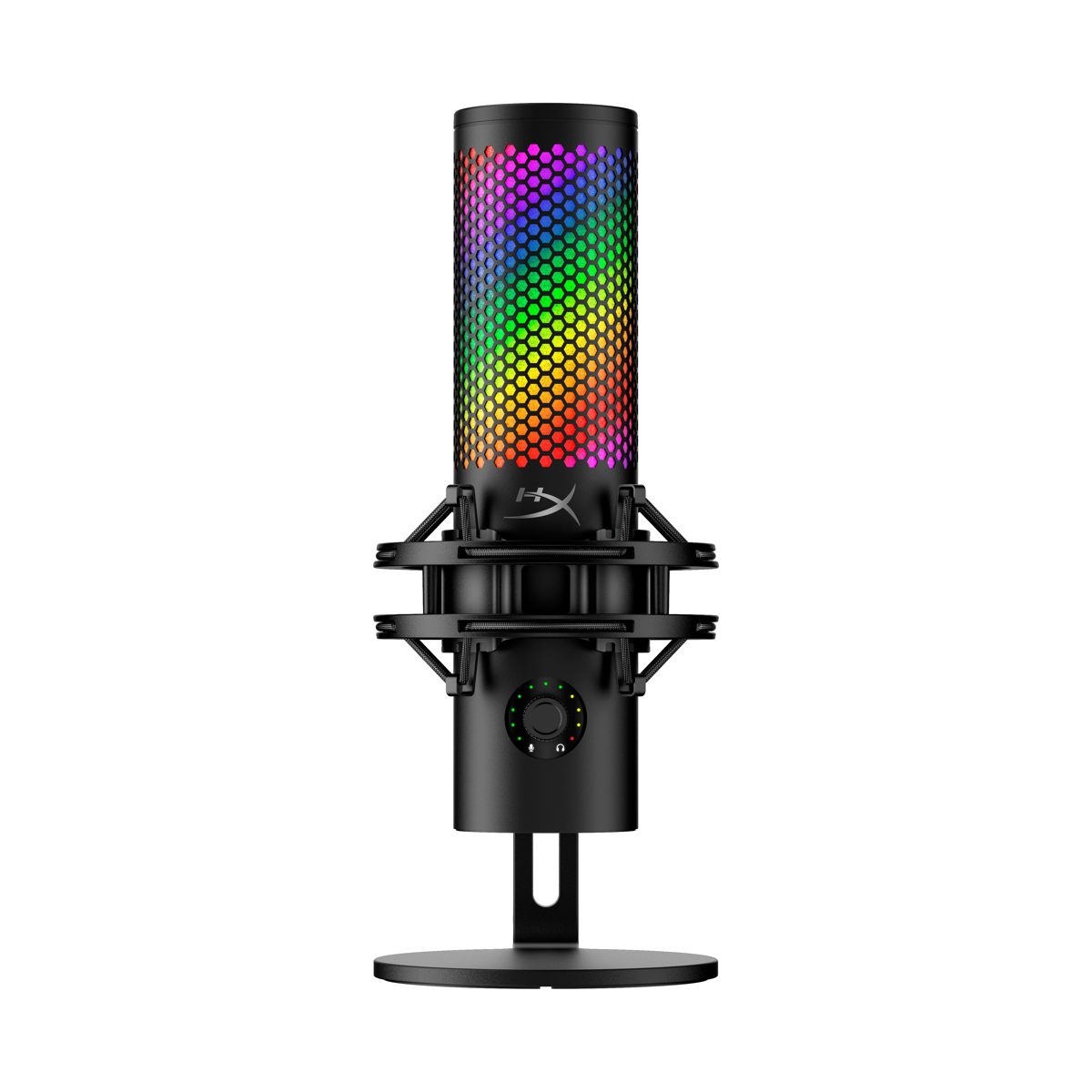
Quick verdict
Winner: HyperX QuadCast 2 S (8.7/10)
Two top-of-stack USB condensers, similar price tier. Blue Yeti wins on flexibility (four polar patterns, podcaster-friendly side-address, lower price). HyperX QuadCast 2 S wins on streaming/gaming workflow (top-mounted tap-to-mute sensor, integrated shock mount, on-stream presence with 100+ aRGB LEDs, 32-bit/192kHz capture). Functionally a coin-flip — pick by use case.
We earn commission on qualifying purchases through our links, at no extra cost to you. Learn more.
At a glance
| Blue Yeti | HyperX QuadCast 2 S | |
|---|---|---|
| GearPilot Score | 8.6/10 | 8.7/10 |
| Price | $109 | $199 |
| Connection | USB | USB |
| Polar pattern | Multi | Multi |
| Plug & play | ✓ | ✓ |
| Best for | Beginner streamers who want one mic that handles voice + room interviews | Streamers who want a visually striking mic with the most customizable RGB in its class |
Pricing last verified: 2026-05-15
Pricing comparison
Best for each creator type
| Use-case | Winner | Note |
|---|---|---|
| Podcasting | Blue Yeti | |
| Streaming | HyperX QuadCast 2 S | |
| Gaming | HyperX QuadCast 2 S | |
| Vocals | HyperX QuadCast 2 S | |
| YouTube | HyperX QuadCast 2 S |
Choose Blue Yeti if…
- Beginner streamers who want one mic that handles voice + room interviews
- Podcasters recording in a quiet, treated room
- YouTubers who want USB simplicity without learning XLR
Choose HyperX QuadCast 2 S if…
- Streamers who want a visually striking mic with the most customizable RGB in its class
- Gamers — top-mounted tap-to-mute sensor fits muscle memory mid-match
- YouTubers recording solo voiceovers in a quiet, treated room
What you lose if you switch
Switching from the Yeti to the QuadCast 2 S costs you: roughly $90, the broader polar-pattern flexibility on stereo + bidirectional, and the longer-tested cross-platform compatibility. You gain: a tap-to-mute sensor in muscle memory range, a removable shock mount that drops desk thump, 100+ individually-addressable aRGB LEDs, and 32-bit/192kHz capture (largely overkill for streaming but future-proof). Both work cross-platform; the QuadCast 2 S RGB needs NGENUITY on Windows for full customization.
Verdict at a glance
Two top-of-stack USB condensers, similar price tier. Blue Yeti wins on flexibility (four polar patterns, podcaster-friendly side-address, lower price). HyperX QuadCast 2 S wins on streaming/gaming workflow (top-mounted tap-to-mute sensor, integrated shock mount, on-stream presence with 100+ aRGB LEDs, 32-bit/192kHz capture). Functionally a coin-flip — pick by use case.
The full side-by-side specs table is above — score, price, connection type, polar pattern, plug-and-play, and best-for use case for both products. The choose-blocks section breaks down which buyer profile each microphone fits.
How Blue Yeti and HyperX QuadCast 2 S compare on the GearPilot framework
Blue Yeti scores 8.6/10 overall; HyperX QuadCast 2 S scores 8.7/10. Prices are within $90 of each other, so the decision comes down to which product’s strengths align with your use case, not price.
On per-criterion scores, Blue Yeti leads on ease, value, compatibility, and HyperX QuadCast 2 S leads on quality, creator_fit. The detailed methodology behind each score lives on /methodology/.
How they compare in practice
Blue Yeti is the right pick when: beginner streamers who want one mic that handles voice + room interviews. HyperX QuadCast 2 S is the right pick when: streamers who want a visually striking mic with the most customizable RGB in its class. For the per-use-case winner breakdown, see the Creator-Type Matrix block above — each use case (podcasting, streaming, gaming, YouTube, vocals) has a declared winner based on the per-product Creator Fit scores rather than editorial preference.
What you give up either way
Choosing Blue Yeti means accepting that side-address design — many new users speak into the top by mistake. Choosing HyperX QuadCast 2 S means accepting that no XLR output — no upgrade path if you grow into a studio setup. For the full pros and cons lists for each microphone, see their individual review pages linked from the choose-blocks above.
If neither product clearly fits your setup, the Microphone Finder can surface a different match based on five short questions about your budget, room, and workflow.
Frequently Asked Questions
Is the Blue Yeti better than the HyperX QuadCast 2 S?
Not unconditionally — see the Quick Verdict above. Blue Yeti wins on certain axes; HyperX QuadCast 2 S wins on others. The right choice depends on your use case and room.
Which one has better sound quality?
On the GearPilot quality sub-score, Blue Yeti scores 7.8/10 and HyperX QuadCast 2 S scores 8.4/10. Closer to a tie than people assume.
Which is better value?
On the GearPilot value sub-score, Blue Yeti scores 8.7/10 and HyperX QuadCast 2 S scores 8.2/10. Value is price-sensitive — re-check pricing before purchase.
Can I see specs side by side?
Yes — the At a Glance table above lists score, price, connection, polar pattern, plug-and-play, and best-for for both products.
Where can I read full reviews?
See the linked full reviews for Blue Yeti and HyperX QuadCast 2 S in the choose-blocks below.